
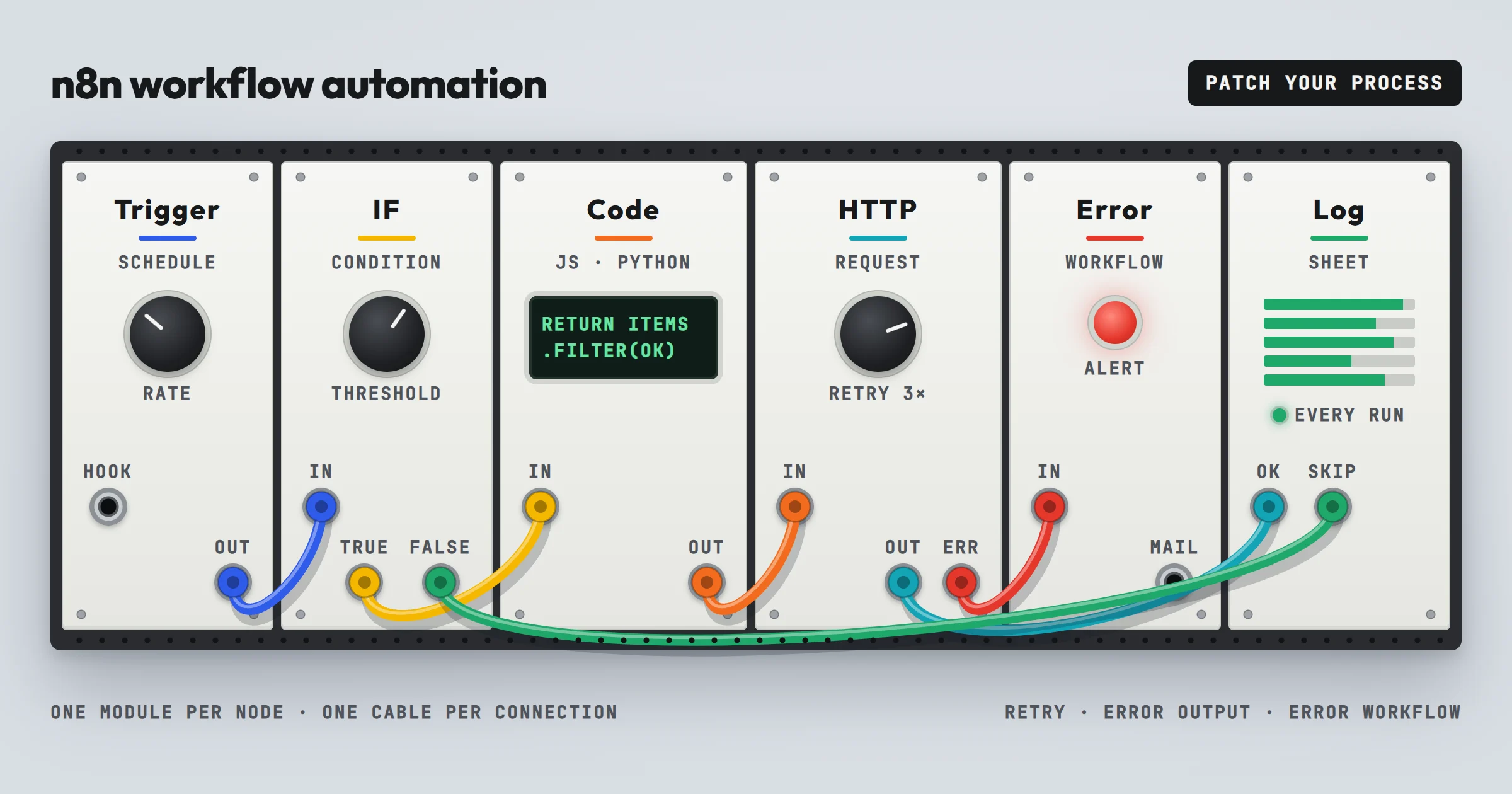
If you first need the basics, our guide explains what is workflow automation in plain terms. This page is about one tool, n8n, the one we use most.
Who writes this. Romain Ben builds and maintains the n8n workflows OptimizIA.xyz runs in production, including the client systems quoted below. Self-hosted n8n is most often the orchestration layer we choose, and we still recommend Zapier or Make when they fit better.
What n8n Workflow Automation Actually Does
n8n is a workflow automation tool whose source code is published under a fair-code license, the Sustainable Use License: free to self-host for your internal business use, but not open source in the strict sense. Our comparison of open source workflow automation tools explains what that license allows. You build workflows on a visual canvas where each node represents a step: a trigger (like a new row in a Google Sheet), an action (like sending an email), or a logic branch (like checking if a value is above a threshold). The tool runs these workflows on a schedule or in real time when the trigger fires.
For an SME, the most common use cases are:
- Syncing data between a CRM and an email marketing tool.
- Monitoring a shared inbox and creating tasks in a project management app.
- Generating reports from a database and sending them to a Slack channel.
- Processing webhooks from a payment gateway to update accounting software.
The key difference from simpler tools like Zapier is that n8n allows you to write custom JavaScript or Python code inside a Code node, use advanced branching, and run the entire system on your own server. On a self-hosted instance, that means no per-task fees and no data leaving your infrastructure unless you choose to send it out. On n8n Cloud, you pay per execution: one execution is one full run of a workflow, however many steps it has.
How Does n8n Compare to Zapier or Make?
Zapier is easier to start with and has more pre-built integrations, over 9,000 apps, but its pricing scales with the number of tasks, which can become expensive for high-volume workflows. Make (formerly Integromat) offers a visual builder similar to n8n but is a cloud-only service with usage-based pricing, counted in credits. n8n's self-hosted option gives you a fixed cost regardless of volume, the cost of the server, which is a major advantage for SMEs processing thousands of records per day. Our guides to the Zapier workflow automation tool and to Make workflow automation cover the other two in the same detail.
How n8n Workflow Automation Works: A Step-by-Step Method
Building a reliable automation in n8n follows a repeatable process. Here is the method we use with clients at OptimizIA.xyz.
1. Map the Process Before Touching the Tool
Write down the exact steps a human takes today: what triggers the work, what data is needed, what decisions are made, and where the output goes. If you cannot describe the process on paper, you cannot automate it. This step often reveals unnecessary steps that can be removed before any workflow is built.
2. Start with a Single Trigger and One Action
Do not try to automate the entire process at once. Build a minimal workflow: one trigger, one action. Test it with real data. In n8n, pin the data of the trigger once, so every test reuses the same real record instead of waiting for a new one. Then add branches, error handling, and additional actions one at a time. This reduces debugging time and makes the workflow easier to maintain.
3. Use Error Handling from Day One
Every workflow will fail at some point: an API rate limit, a malformed email, a network timeout. n8n lets you add error triggers and fallback paths. In practice, that means three settings: Retry On Fail on the nodes that call an outside service, an error output on the steps whose failure should take another path, and an error workflow, started by an Error Trigger node, that alerts a person. Configure these before you need them. A workflow that silently fails is worse than no workflow because you stop checking the manual process.
Our lead monitoring system goes one step further. It raises an explicit error if no source responds, if content can no longer be parsed, or if nothing enters the day's window: the run that "succeeds" by writing nothing is the failure nobody notices. And its report goes out every day, even with zero signals, so that "nothing to report" never looks like a breakdown.
4. Log Everything and Review Weekly
Add a node that writes a log entry to a Google Sheet or a database for every run. Spend ten minutes each week reviewing failures and edge cases. This habit catches problems before they affect clients or internal reporting. n8n also keeps the execution history of each workflow, with the data of every step, which is where you start when a run looks wrong.
5. Document the Workflow for Handover
If you leave the company or a colleague takes over, they need to understand the workflow. n8n allows you to add notes to each node and sticky notes on the canvas. Use them. A workflow without documentation becomes a single point of failure. Every workflow we deliver is handed over with its configuration and documentation.
n8n vs. Other Automation Tools: A Comparison Table
| Tool | Pricing model | Self-hosting | Code flexibility | Best for |
|---|---|---|---|---|
| n8n | Free for the self-hosted Community Edition; cloud plans at a fixed monthly fee per execution volume | Yes, full control | High: JavaScript, Python, custom functions | SMEs with technical staff or a consultant; high-volume workflows; data privacy needs |
| Zapier | Per-task pricing, tiers | No | Low to medium: built-in transforms, Code by Zapier steps | Non-technical users; low-volume workflows; quick integrations |
| Make | Usage-based (credits) | No | Medium: visual functions, a Code module on paid plans | Visual thinkers; medium complexity; cloud-only environments |
| Power Automate | Per-user or per-bot licensing | No, cloud service; desktop flows run on your PCs | Medium: expressions, limited custom code | Microsoft-centric stacks; Microsoft 365 users |
We checked each vendor's pricing page in October 2026, billed annually: n8n Cloud Starter costs €20 per month for 2,500 executions and Pro €50 per month for 10,000; Zapier Professional starts at $19.99 per month for 750 tasks; Make Core at $9 per month for 10,000 credits; Power Automate Premium at $15 per user per month, and the Process plan at $150 per bot per month for unattended flows. Pricing details change, so check each vendor's site before deciding. The key takeaway: if you process more than a few thousand tasks per month or handle sensitive data, n8n's self-hosted option often becomes the most cost-effective and secure choice.
Common Mistakes That Break n8n Workflows
Many SMEs start with n8n, get excited, and then abandon it after a failed workflow. Here are the most frequent errors and how to avoid them.
Mistake 1: Automating a Broken Process
If your manual process is chaotic, automating it will just make the chaos faster. Fix the process first. Remove unnecessary approvals, clarify data formats, and define who owns each step. Then automate.
Mistake 2: Ignoring Rate Limits and API Quotas
Every SaaS app has limits on how many API calls you can make per minute or per day. A workflow that runs every five minutes and makes ten API calls each time can hit those limits quickly. n8n lets you set delays with the Wait node, retries with a pause between tries, and batches with the Loop Over Items node. Use them. Our lead monitoring sends articles to the language model in batches, one pass per day, for a few euros of processing per month.
Mistake 3: No Monitoring or Alerts
A workflow that fails silently is a time bomb. Set up an error notification to email or Slack. Check the execution log regularly. If you cannot commit to this, do not automate that process.
Mistake 4: Overcomplicating the Workflow
A 50-node workflow with nested branches is hard to debug and maintain. Break it into smaller workflows that call each other with the Execute Sub-workflow node. This modular approach is easier to test and reuse.
Mistake 5: Not Versioning Your Workflows
n8n has a built-in workflow history, but many users ignore it. Every user gets the versions of the last 24 hours, n8n Cloud Pro five days, and Enterprise the full history. Before making a major change, download the workflow as a JSON file, or duplicate it and test the duplicate. If something breaks, you can roll back instantly.
The Counterintuitive Truth: n8n Is Not Always the Right Tool
Here is a position you will rarely hear from automation enthusiasts: n8n is overkill for many SMEs. If you only need to connect two apps with a simple trigger and action, Zapier's free plan, 100 tasks per month on two-step Zaps, or a native integration might be enough. n8n shines when you have complex logic, high volume, or strict data residency requirements. But it also requires someone who understands APIs, JSON, and basic scripting. If you do not have that person on staff, you will either need to hire a consultant or invest time in learning.
The trap we warn SMEs about is choosing n8n because it is free to self-host, then struggling to maintain it. The tool is free, but the time to build and maintain workflows is not, and neither is the server: updates, backups and security patches become your job. Before committing, ask yourself: who will own this system? If the answer is nobody, start with a simpler tool or a managed service.
Realistic Use Cases for SMEs
To make this concrete, here are three scenarios where n8n workflow automation delivers clear value for a small business, each next to a system we actually run.
Lead Monitoring and Follow-Up
A B2B service company receives leads from a website form, a LinkedIn ad, and a trade show scanner. Each lead goes to a different place. With n8n, you can build a workflow that captures all leads into a single Google Sheet, enriches them with data from an enrichment service, and sends a personalized email within five minutes. The workflow can also flag high-priority leads based on criteria like company size or requested service.
Our lead monitoring case study works one step earlier, before the lead exists. For Paul Bergé Lemonnier, an influence agent, it reads 25 industry feeds every morning, ranks each signal in three tiers and keeps one line per brand in a Google Sheet, so that a brand seen five times in three weeks surfaces as a prospect. In his words, published on our levers page, the system "saves me over 2 hours a day".
Automated Reporting
A marketing agency needs to send weekly performance reports to clients. The data lives in Google Analytics, Facebook Ads, and a CRM. A human spends four hours every Monday copying numbers into a template. An n8n workflow can pull data from all sources, calculate key metrics, generate a PDF or a dashboard link, and email it to the client automatically. The human only reviews the final output.
Our automated reporting case study shows the same chain on another subject, financial markets: data collected on a schedule, AI agents scoring each asset on five dimensions, an HTML report and a PDF generated together, then published with no manual step.
AI-Powered Document Processing
A law firm receives dozens of contracts per week. Each contract needs to be reviewed for specific clauses, then filed in the right client folder. With n8n, you can trigger a workflow when a new email with an attachment arrives. The workflow extracts the text, sends it to an AI assistant for clause detection, and moves the file to the appropriate folder in Google Drive or SharePoint. The lawyer only reviews flagged contracts.
This combines n8n with AI, and one rule keeps it safe: the AI flags, the lawyer decides. It is the rule we built SEOPlus! on, our own audit engine, also orchestrated by n8n: its 161 checks come from code, and the language model only writes the verdict on top of them. With client contracts, also choose where the model runs: self-hosted n8n keeps the files on your server, but the text still goes to the model you call. Reasoning over your own documents is level two of the six-level grid from our AI training workshop.
How to Get Started Without Wasting Time
If you decide n8n is right for your business, follow this sequence.
- Install n8n on a test server. Use Docker on a local machine or a cheap VPS. Do not touch your production systems yet.
- Build one workflow that saves you at least 30 minutes per week. Pick a repetitive task you do yourself. Automate it. Run it for two weeks.
- Measure the time saved and the error rate. Compare before and after. If the workflow saves time and reduces mistakes, expand it. If not, fix or abandon it.
- Document and train a colleague. You should not be the only person who understands the workflow. Hand over the documentation and watch them run it.
- Move to production only after testing. Once the workflow is stable, move it to a reliable server with backups and monitoring.
At OptimizIA.xyz, we follow this exact method with clients. When you do not yet know where to start, an AI & Knowledge Diagnostic identifies the highest-impact processes, from €1,000 excl. VAT over one to three weeks. Then comes a proof of concept and an MVP, from €1,500 excl. VAT over two to five weeks, and only then do we scale. Workflows run on your existing infrastructure or on our servers located in France, and copiloting, from €100 excl. VAT per month, covers monitoring and fixes if you would rather not own the server. Our fixed pricing and the handover of workflows, configuration and documentation ensure you are not locked in. The detail is on our services page.
Frequently asked questions
Is n8n really free?
The self-hosted Community Edition is free: its code is published under a fair-code license that allows internal business use. You pay for your own server infrastructure. The cloud version has no free plan, only a free trial, then paid plans based on features and execution volume, from €20 per month for 2,500 executions on annual billing. For high-volume use, self-hosting is often cheaper in the long run.
Do I need to know how to code to use n8n?
For simple workflows, no. The visual builder handles most common tasks. For complex logic, custom API calls, or data transformations, some JavaScript or Python knowledge helps. Many SMEs work with a consultant for the initial setup and then maintain simple workflows themselves.
Can n8n handle my industry's compliance requirements?
Because n8n can be self-hosted on your own infrastructure, you control where data is stored and processed. This helps with GDPR and other data residency regulations. However, you are responsible for securing the server and configuring access controls: a self-hosted instance is only as compliant as your own setup. n8n Cloud, hosted in the European Union, is audited every year against SOC 2 by an independent auditor.
How long does it take to build a typical workflow?
A simple workflow connecting two apps can be built in an afternoon. A complex workflow with multiple branches, error handling, and custom code can take several days. The time depends on the clarity of your process documentation and the availability of APIs for your tools. On our projects, a proof of concept becomes a working MVP in 13 days on average.
What if n8n breaks or the workflow fails?
n8n has built-in error handling and retry mechanisms. You can set up notifications to alert you when a workflow fails. Regular monitoring and version control reduce the risk. If you self-host, you also need to maintain the server itself, including updates and backups.