
Where the figures come from. Romain Ben, co-founder and AI engineer at OptimizIA.xyz, designs and maintains the systems quoted on this page: a lead monitoring system that reads 25 industry feeds every morning, a weekly reporting chain that scores each asset on five dimensions, and an audit engine that runs 161 checks in 30 seconds. Every figure about our own work comes from a published case study, and the platform prices were checked on the vendors' pages in October 2026.
Verdict: which platform wins for SMEs
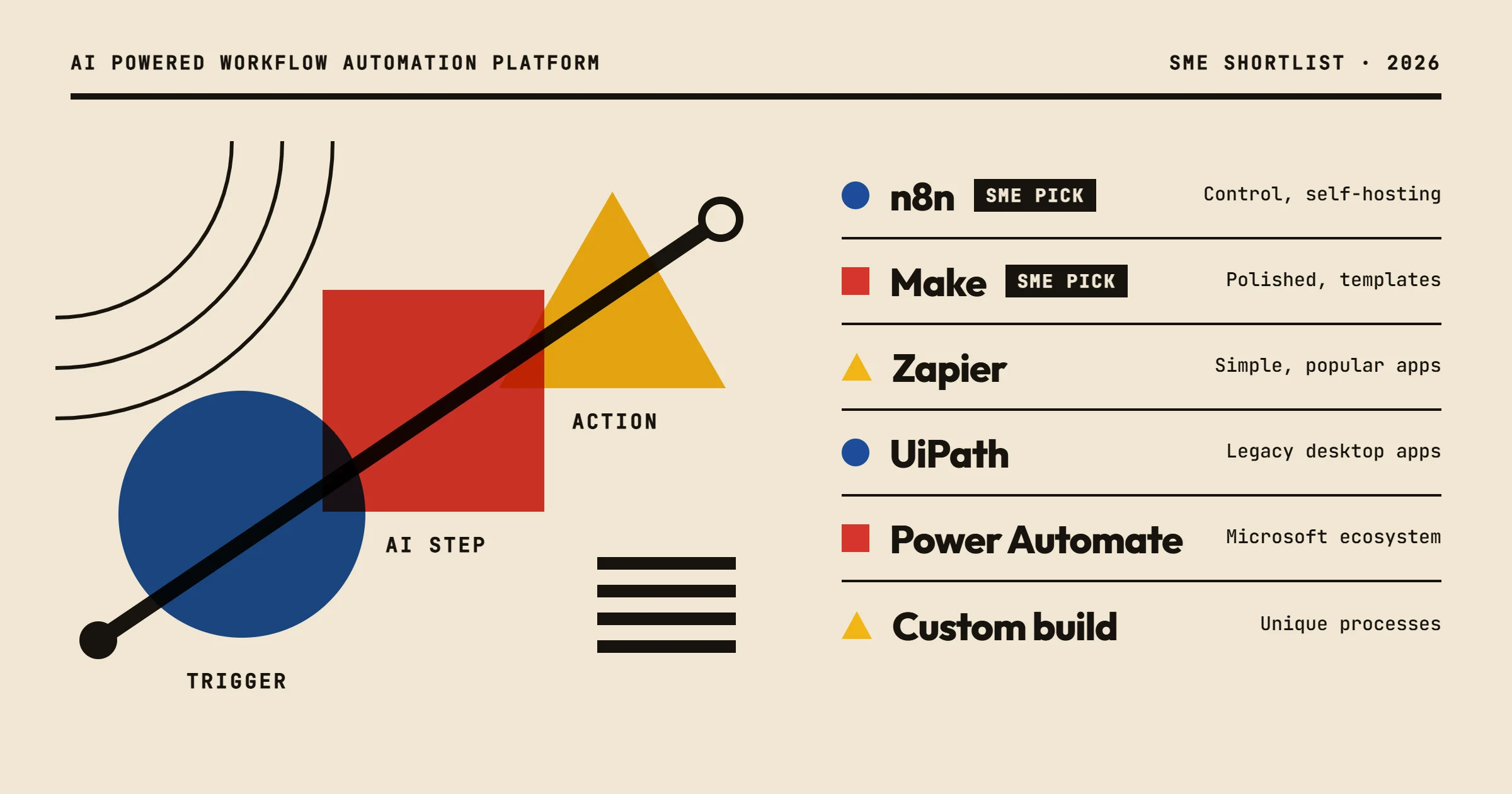
If you want a platform that balances power, flexibility, and cost, go with n8n or Make. Both are no-code workflow automation tools that integrate with thousands of apps. They let you build automations visually, and they support AI steps like calling OpenAI or running your own scripts. n8n publishes its source code under a fair-code license and can be self-hosted, which is a big plus if you have data privacy concerns. Make is slightly easier for beginners and has a more polished interface.
For teams that need AI to understand and generate text, add a language model through an API, such as OpenAI's, or a RAG setup. This combination covers most SME use cases:
- lead enrichment,
- document processing,
- email drafting,
- internal knowledge retrieval.
You don't need a heavy enterprise platform like UiPath or Automation Anywhere unless you're automating legacy desktop applications at scale.
Selection criteria: what actually matters
When you evaluate an AI powered workflow automation platform, ignore the marketing fluff. Focus on these five criteria:
- Integration depth: Does it connect to the tools you already use? Check for native integrations with your CRM, email, and databases. If not, can you use webhooks or API calls?
- AI capabilities: Can you call AI models directly in the workflow? Does it support custom prompts, RAG, or fine-tuned models? Some platforms only offer pre-built AI steps that are too rigid.
- Ease of use: How long does it take for a non-developer to build a simple automation? Look for a visual builder with debugging tools.
- Hosting and data privacy: Can you self-host or choose a European data center? This is critical if you handle sensitive customer data.
- Pricing transparency: Are costs predictable? Some platforms charge per operation, which can explode as your automation grows.
On hosting, the three no-code platforms differ more than their feature pages suggest: n8n Cloud stores data in Frankfurt, Make lets you pick an EU or a US data center when you create your organization, and Zapier hosts data in the United States, with no EU-only option. Our guide to cloud based workflow automation details what that changes.
A common mistake is to choose a platform based on a single feature. Instead, think about the processes you want to automate first. Then pick the platform that handles those with the least friction.
Comparison table: top AI workflow automation platforms
| Platform | Type | AI features | Hosting | Pricing model | Best for |
|---|---|---|---|---|---|
| n8n | No-code workflow automation | AI Agent node, LangChain-based nodes, vector stores for RAG | Self-hosted or cloud | Cloud plans by executions, or free self-hosted Community edition | SMEs that want control and low cost |
| Make | No-code workflow automation | AI agents and modules for OpenAI, Anthropic, Google and others | Cloud only | Subscription based on credits | Teams that prefer a polished UI and many templates |
| Zapier | No-code workflow automation | Built-in AI steps, agents and chatbots | Cloud only | Subscription based on tasks | Simple automations with popular apps |
| UiPath | Enterprise RPA + AI | Document understanding (IXP), Agent Builder, Autopilot | Cloud or self-hosted | Basic from $25 per month, larger plans on quote | Large companies with legacy systems |
| Microsoft Power Automate | No-code + RPA | AI Builder, prebuilt models, Copilot | Cloud, with desktop flows on Windows | Per user or per bot | Teams already in the Microsoft ecosystem |
| Custom build with n8n + AI | Tailored solution | Full control, any AI model | Self-hosted | Development cost + maintenance | SMEs with unique processes or strict compliance |
This table is a starting point. Your specific needs may push you toward one option. The next section helps you match your profile.
Which platform fits your profile
You're a small business owner with no technical team
Choose Make or Zapier. They have the easiest learning curve and plenty of templates. You can set up a simple automation in an afternoon. For AI, use their built-in AI steps to summarize emails or generate responses. Our guide to the best AI automation tools for small businesses covers that starting point in detail.
You have a technical person on staff or a small dev team
Choose n8n. It's more flexible and can be self-hosted, which keeps data in-house. You can write JavaScript or Python in a Code node, call any API, and integrate with local databases. This is what we use at OptimizIA.xyz for client projects because it adapts to almost any process. The lead monitoring system and the reporting chain quoted further down both run on it.
You're in a regulated industry or handle sensitive data
Self-host n8n on your own infrastructure or on a server located in the European Union. This gives you full control over data. Avoid cloud-only platforms unless they offer EU data residency and strong compliance certifications.
You need to automate legacy desktop applications
Look at UiPath or Power Automate with RPA. These can interact with old software that lacks APIs. But be prepared for higher costs and a steeper learning curve. On Microsoft's price list, Power Automate Premium costs $15 per user per month with attended desktop flows, and unattended RPA needs the Process plan at $150 per bot per month. UiPath lists a Basic plan from $25 per month and sells its larger plans on quote.
You want a done-for-you solution
Consider working with an agency like OptimizIA.xyz. We build the workflows, connect the AI, and train your team. This saves you time and avoids costly mistakes. See our services page to understand what's involved. If you hesitate between building it yourself and having it built, our comparison of the two paths weighs them on time, maintenance and total cost.
Pricing: what drives the cost
Pricing for AI powered workflow automation platforms varies widely. Here are the main factors:
- Number of operations or tasks: Most cloud platforms charge by usage: tasks on Zapier, credits on Make, executions on n8n Cloud. A workflow that runs every hour for 100 records will cost more than one that runs daily for 10.
- AI usage: AI steps consume tokens or API calls. If you use a lot of AI, your costs go up. Some platforms bundle AI credits, but they run out quickly.
- Hosting: Self-hosting is often free for the software, but you pay for server costs and maintenance. Cloud hosting is convenient but adds a monthly fee.
- Number of users: Some platforms charge per user, which can be expensive if many people need access.
- Custom development: If you hire an agency, you pay for their time. At OptimizIA.xyz, our PoC and MVP service starts at €1,500 excl. VAT, and copiloting starts at €100 excl. VAT per month. The first covers scoping, the build on a controlled scope and a user onboarding guide. The second covers monitoring, fixes and optimizations.
What the entry plans cost
Checked in October 2026, billed annually: Zapier Professional starts at $19.99 per month for 750 tasks, Make Core at $9 per month for 10,000 credits, and n8n Cloud Starter at €20 per month for 2,500 executions, with unlimited active workflows. Self-hosting n8n's Community edition costs nothing in licenses.
Don't fall for the "free forever" plans. They usually have severe limits on operations or AI features. Zapier's free plan stops at 100 tasks per month and two-step Zaps, and leaves out the AI by Zapier steps. Make's stops at 1,000 credits per month. Calculate your expected volume before committing.
Common objections and how to address them
"I tried automation before and it failed."
Many failures come from choosing the wrong process or not maintaining the workflow. Start with a simple, high-volume task. Document the steps. Test thoroughly before going live. And assign someone to monitor it. If you can't maintain it, don't automate it.
"AI will make mistakes and embarrass me."
AI can hallucinate, but you can design workflows to minimize risk. Use AI for drafting, not final decisions. Add human review steps for critical outputs. For example, an AI can draft an email, but a person approves it before sending. This is how we build systems at OptimizIA.xyz when the output is critical.
The other safeguard is to keep the model away from the facts. In SEOPlus!, our own audit engine, 161 deterministic checks produce the measurements and a language model only writes the verdict: it comments on the numbers, it never invents them.
"It's too expensive for my small business."
The cost of not automating is often higher. Calculate how many hours your team spends on repetitive tasks each week. Multiply by their hourly rate. If automation saves even a few hours per week, it pays for itself quickly. Our automated reporting case study shows the end state: a weekly chain, built in-house, that goes from raw data to a distributed report in five steps, with zero manual intervention.
"I don't have the technical skills."
You don't need to be a developer. No-code platforms are designed for business users. But you do need to invest time in learning. Alternatively, hire an expert to set it up and train you. That is what our lead monitoring case study describes: a system built for a client and handed over, which reads 25 industry feeds every morning, ranks each signal in three tiers and delivers a sorted table and a written report, with nothing typed by hand.
A realistic implementation path
Here's a step-by-step approach to adopting an AI powered workflow automation platform:
- Pick one process that is repetitive, rule-based, and time-consuming. Good candidates: invoice processing, lead qualification, report generation, customer support triage.
- Map the current workflow with all steps, tools, and decision points. Identify where AI can help (e.g., extracting data from emails, classifying requests).
- Choose a platform based on the criteria above. Start with a free trial or a small pilot.
- Build a minimal version of the automation. Don't try to handle every edge case. Get the happy path working.
- Test with real data and involve the people who will use it. Collect feedback and iterate.
- Measure the results in terms of time saved, error reduction, or volume processed. Compare to the baseline.
- Scale gradually to other processes once the first one is stable.
At OptimizIA.xyz, we follow this exact method. Going from PoC to MVP takes 13 days on average, and we hand over the workflow with a user onboarding guide. Short cycles are a habit: our showcase websites, a different use case, go from brief to launch in under 10 days.
The hidden factor: knowledge management
Most discussions about workflow automation ignore knowledge management. But AI is only as good as the data it can access. If your company knowledge is scattered across emails, shared drives, and people's heads, your AI workflows will underperform.
That's why we recommend setting up a RAG (Retrieval-Augmented Generation) system. It lets AI pull from your internal documents, policies, and past interactions. It is level two of the six-level map of AI usage we teach in our AI training workshops, right after plain conversation and just before automation.
Without this, you'll be limited to generic AI responses that don't reflect your business. Invest in organizing your knowledge before or alongside your automation project. Our AI & Knowledge Diagnostic, from €1,000 excl. VAT over one to three weeks, maps where that knowledge lives before any build starts.
Frequently asked questions
What is an AI powered workflow automation platform?
It's software that lets you connect different apps and services, then define rules or AI steps to automate tasks. For example, when a new lead comes in, the platform can enrich the data, score the lead, and notify the right salesperson, all without manual work.
Do I need coding skills to use these platforms?
No. Most platforms like Make, Zapier, and n8n have visual builders where you drag and drop steps. Some technical knowledge helps for complex integrations, but you can start with no code.
How much does an AI workflow automation platform cost?
It varies. Cloud platforms charge per task, credit or execution, and Zapier and Make start with free plans that carry limits. Self-hosted options like n8n are free for the software but require server costs. Custom development by an agency costs more upfront: our PoC and MVP service starts at €1,500 excl. VAT.
Can AI automation replace my employees?
No. AI automation handles repetitive tasks, freeing your team for higher-value work like customer relationships and creative problem-solving. It's a tool to augment human work, not replace it.
What's the first process I should automate?
Start with something simple and high-volume, like data entry, report generation, or email triage. Avoid complex processes with many exceptions until you have experience.